Policies
Per-workspace .packguard.yml editor with a dry-run preview against the active scope.
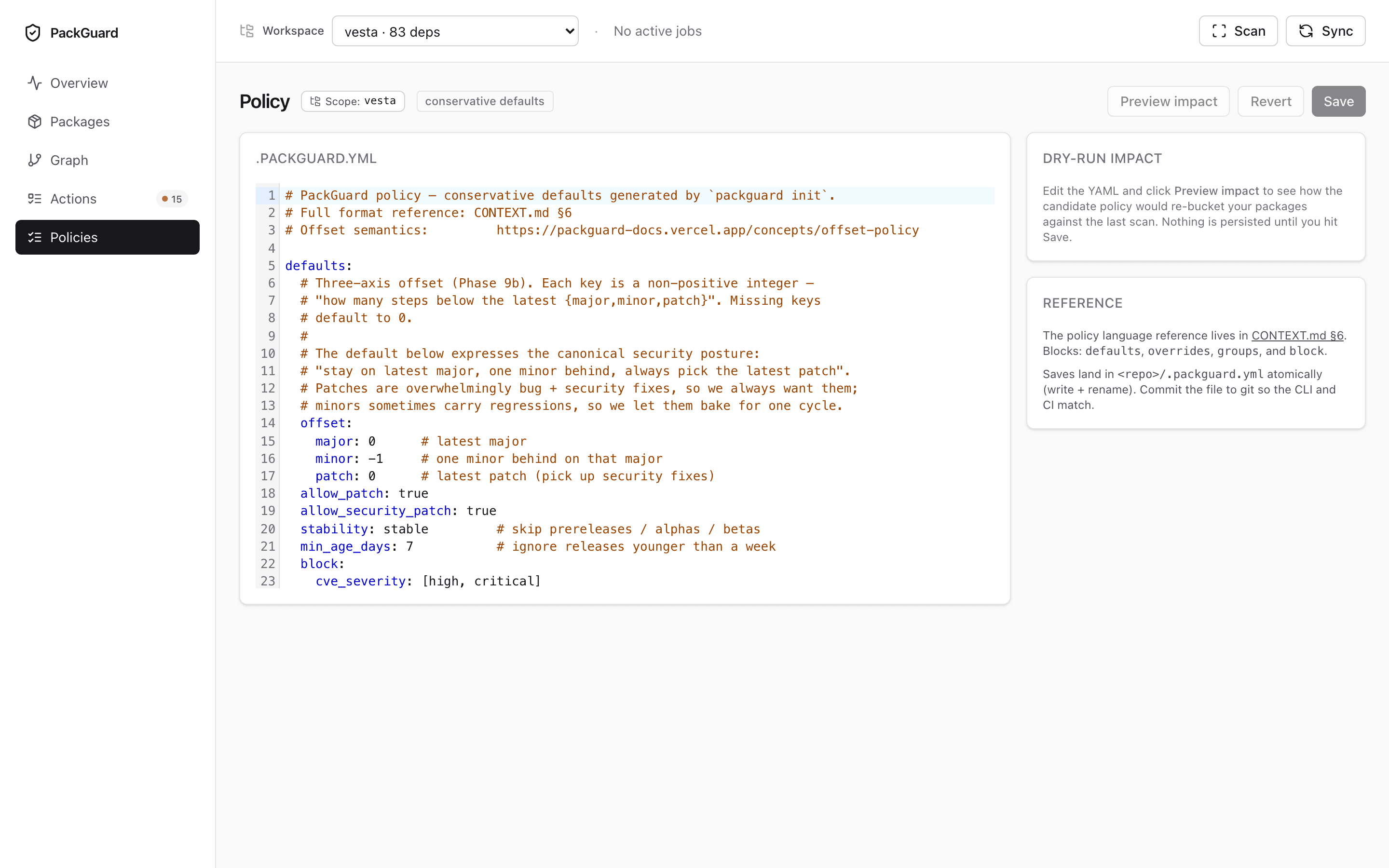
Layout
Left pane — CodeMirror 6 editor with YAML syntax + schema-aware autocompletion. The schema is derived from packguard-policy’s Rust structs via ts-rs + a JSON Schema export, so the completions don’t drift from the evaluator.
Right pane — dry-run comparison:
- Rows whose verdict would change under the pending edit are listed first, with both the current and the proposed verdicts.
- Rows whose verdict stays the same are collapsed under a “no-change” accordion (default collapsed).
- A footer summarises the deltas:
5 → compliant · 2 → violation · 0 → warning · ….
Save behaviour
Saving writes the file atomically — temp file in the workspace, then rename(). A failing write (permissions, full disk) never corrupts the existing policy. The save button stays disabled until the dry-run completes cleanly.
After save, the dashboard re-evaluates every row in the active scope and the Overview / Packages pages reflect the new verdicts on the next visit.
Workspace scoping
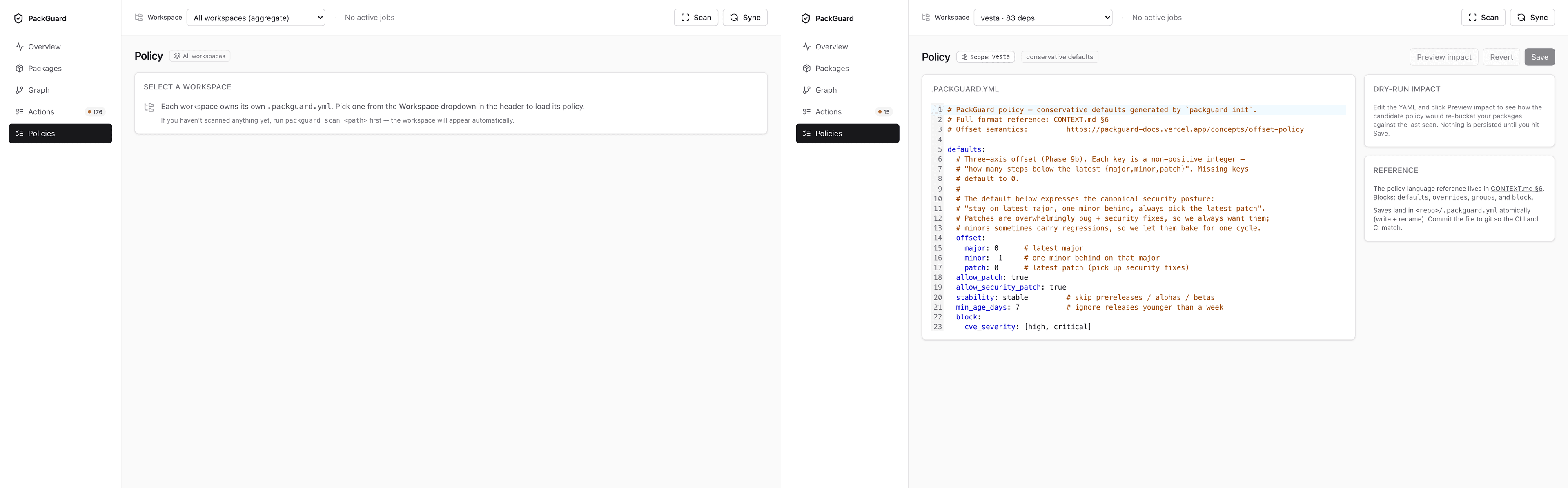
The editor operates on the workspace currently picked in the header selector. With no scope picked, the page shows an empty-state panel explaining that policy is workspace-local and prompts the user to pick a scope from the dropdown.
No cross-workspace inheritance by design — see Per-project scoping for why.
Creating a new policy
When a workspace has no .packguard.yml yet, the editor pre-fills the conservative defaults template — the same thing packguard init generates. Saving without touching a character is equivalent to running init via the UI.
Related
- Offset policy — the full
.packguard.ymlfield reference. packguard report— CLI evaluation against the saved policy.- Per-project scoping — how per-workspace policies compose.