Overview
The landing page for packguard ui. Everything above the fold answers one question: is this workspace healthy right now?
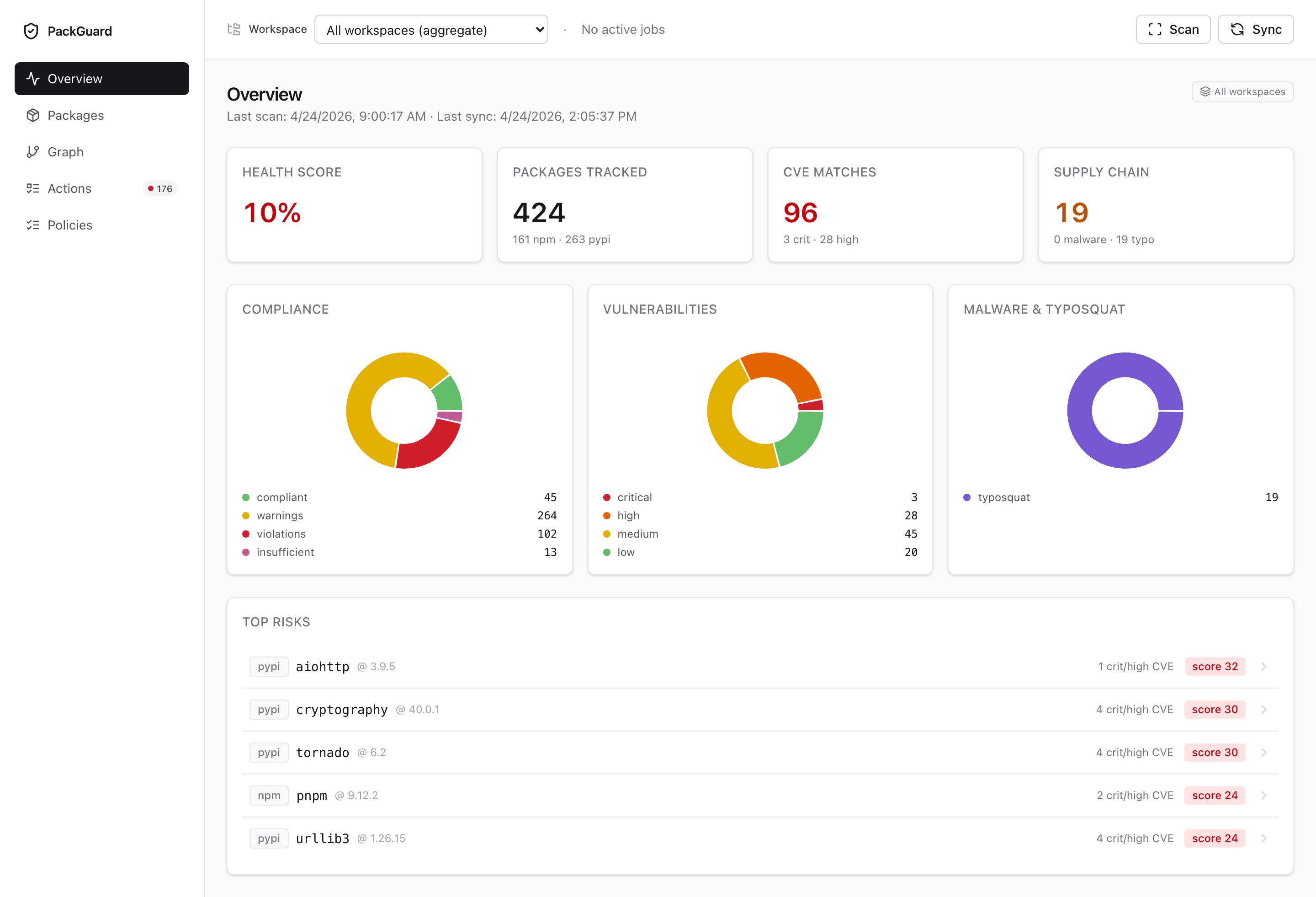
Four top-line cards
| Card | What it counts |
|---|---|
| Health score | (compliant) / (compliant + warnings + violations + insufficient) × 100. Drops the moment any row flips to violation or cve-violation. |
| Packages tracked | Distinct (ecosystem, name, version) rows in the active scope. Split per ecosystem underneath. |
| CVE matches | Count of installed versions that hit at least one CVE, split by crit/high. |
| Supply chain | Count of malware-confirmed + typosquat-suspect rows in the active scope. |
Each card links to the Packages table pre-filtered on that dimension — click through and the filter state shows up in the URL.
Three donuts
Compliance — breakdown of every row by policy verdict: compliant · warnings · violations · insufficient. Same categories as packguard report.
Vulnerabilities — rows grouped by the max severity on that row. A package with both a high and a critical CVE counts once, in the critical slice.
Malware & typosquat — combined donut for supply-chain rows. Useful when you want one number to argue against a malicious-install risk rather than two separate counts.
Top risks section
Below the donuts, a table of the 10 rows with the worst combined risk score:
- A CVE
criticalweighs more than a CVEhigh. - A confirmed malware row outranks any CVE row.
- Typosquat suspects are ranked but never above CVE rows.
Each row links to the full package detail page.
Scope behaviour
The header dropdown scopes everything on the page — the four cards, the three donuts, the top-risks table. The top-right badge tells you at a glance whether the numbers are aggregated or scoped.
Without a scope picked, Overview shows the aggregate roll-up across every workspace in the store. That’s useful for platform / security views; on a product team, most folks pick a scope on arrival and never see the aggregate.
Empty state
A fresh store (no scan yet) shows a hero call-to-action — either point the CLI at a path (packguard scan) or stay in the dashboard and click + Scan a new path to open the Add-workspace modal. The modal posts to POST /api/scan?path=<absolute> with server-side validation (canonicalize + is_dir), polls the job, and auto-switches the active scope on success. Scans are still expensive — the dashboard never auto-triggers one, the user always picks the moment.
Related
packguard report— terminal equivalent of Overview’s compliance donut.- Packages — drilling into the rows behind each card.