Packages
The filterable, sortable, URL-driven table of every (ecosystem, name, installed) row in the active scope.
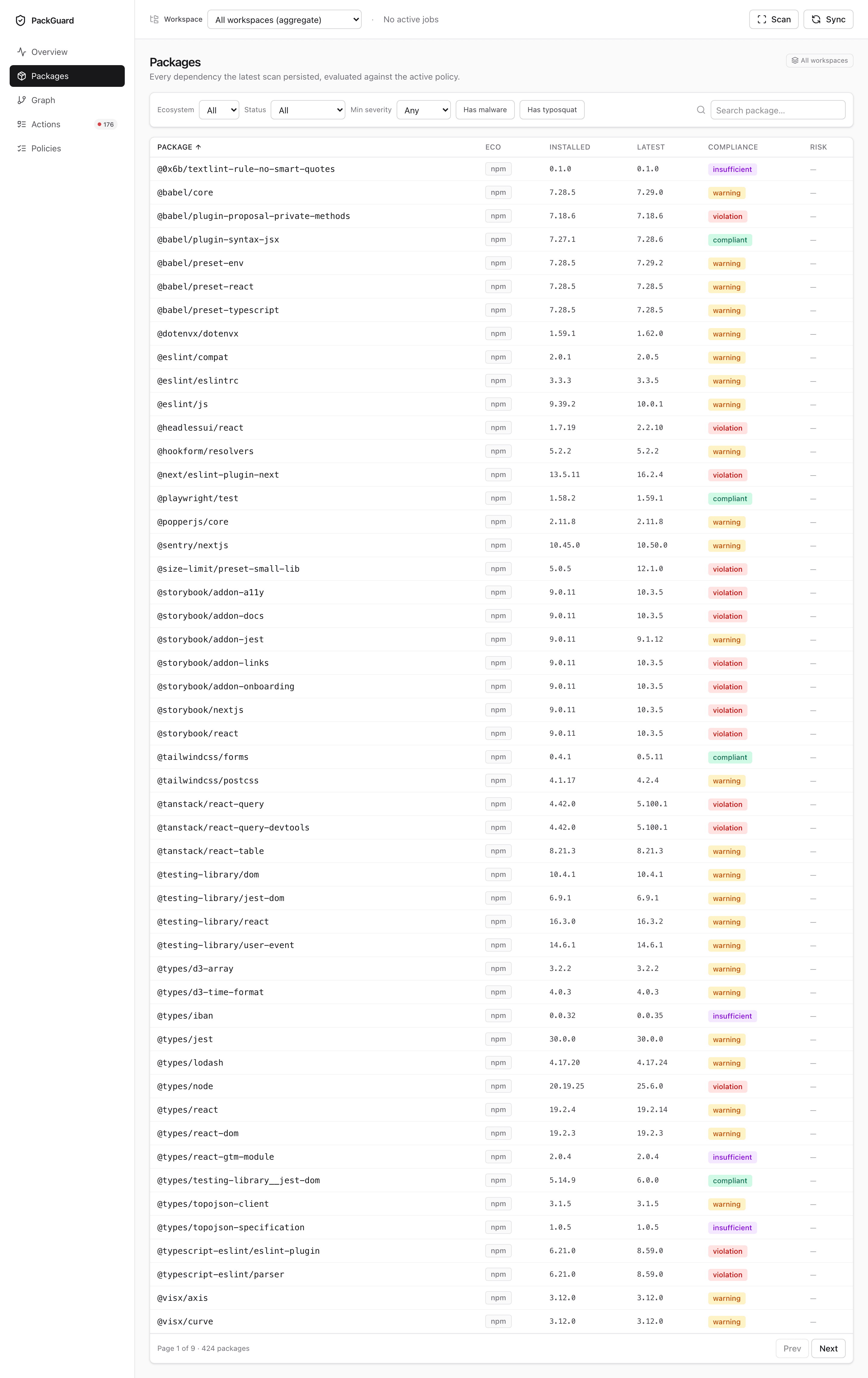
Columns
| Column | Notes |
|---|---|
| Ecosystem | npm / pypi badge. Colour-coded (blue / green) matching the rest of the UI. |
| Name | Clickable — opens the package detail page. |
| Installed | The version on disk (from the lockfile), not the range declared in the manifest. |
| Latest | Latest stable release the registry exposes. |
| Offset | Numeric delta: 0 minor · 2 patch, or 3 major · 0 minor · 1 patch. |
| Policy | compliant / warning / violation / cve-violation / malware / typosquat / insufficient. |
| Risk | Combined badges — CVE counts + malware + typosquat suspects. |
Filters
Every filter writes to the URL, so bookmarking or sharing preserves state:
- Ecosystem — npm / pypi / all.
- Policy — one-click pills at the top (compliant · warning · violation · …).
- Risk — surfaces rows with at least one matching signal:
any CVE,critical CVE,malware,typosquat. - Text search — prefix / substring / glob against package names.
Clicking a card on Overview lands here with the matching filter pre-applied.
Sort
Click any header to sort ascending / descending. URL-driven — ?sort=offset.desc is bookmarkable.
Sort on Offset is the quick way to find “which packages have drifted the most” — usually the first rows that need upgrade attention.
Pagination
Server-side, 50 rows per page by default. The header tells you how many rows matched the current filter set.
Empty states
- Store populated, filter returned 0 rows — the filter pills at the top show a
clear allbutton. - Store empty — same CTA as on Overview pointing at
packguard scan.
Related
- Package detail — what clicking a row opens.
packguard report— same rows, CLI view.
Last updated on